
Appearance
API Keys
Manage your API keys for integrations and custom applications.
Overview
API keys allow you to integrate Grab A Table with external systems, custom applications, and third-party services. This page explains how to create, manage, and secure your API keys.
What Are API Keys?
API keys are unique authentication credentials that allow external applications to access your Grab A Table account data programmatically. They enable you to:
- Build custom integrations
- Connect to third-party systems
- Automate booking workflows
- Create custom applications
- Sync data with other platforms
Creating API Keys
Step 1: Access API Keys Page
Navigate to Venue Management > API Keys in your dashboard.
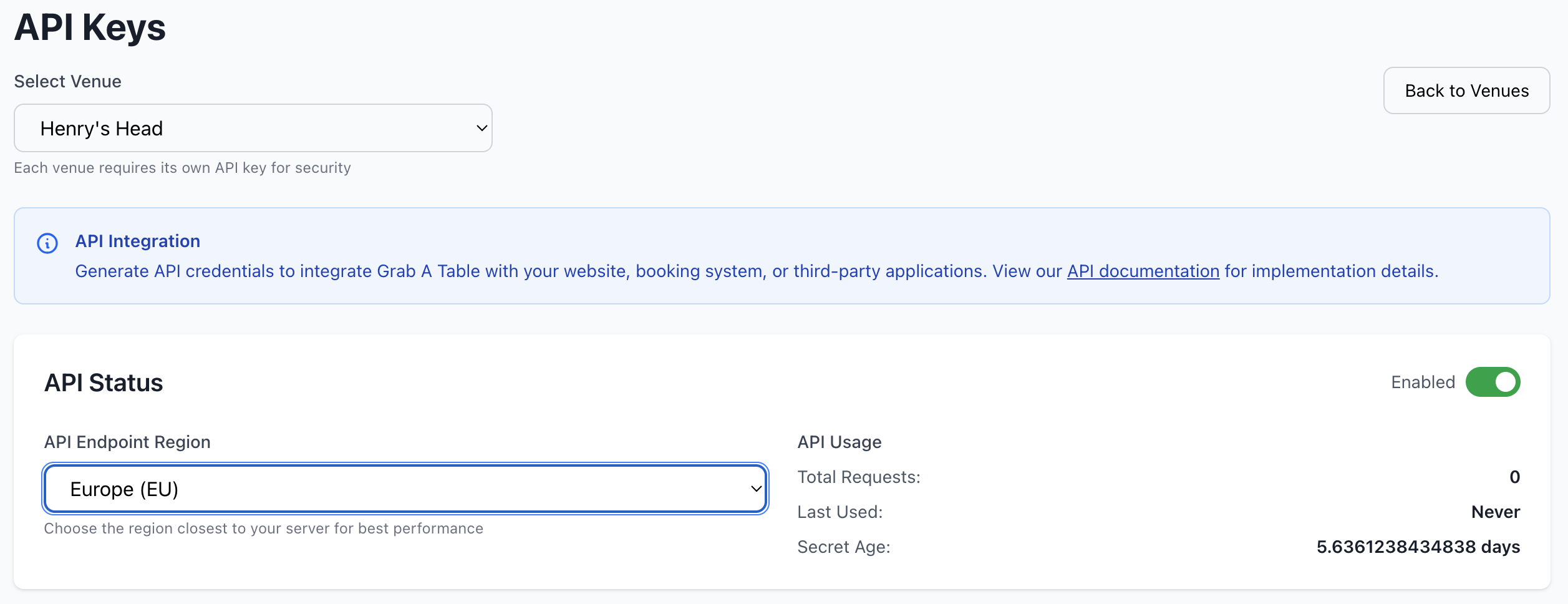
Step 2: Generate New Key
- Click Create New API Key
- Enter a descriptive name (e.g., "Website Integration" or "Mobile App")
- Select permissions/scopes
- Choose which venues the key can access
- Click Generate Key
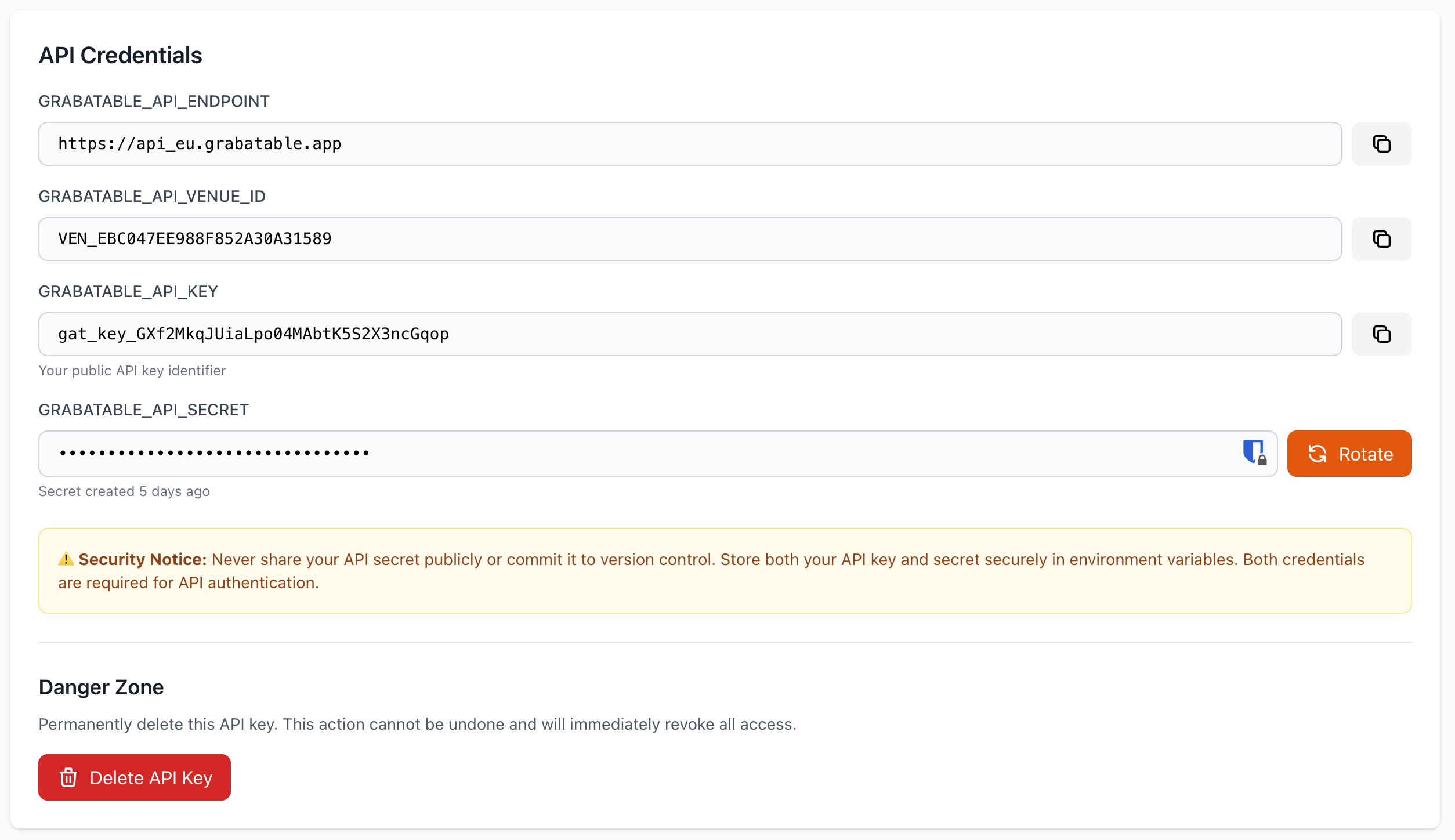
Step 3: Save Your Key
Important
Your API key is displayed only once. Save it in a secure location immediately. You cannot retrieve it later.
Copy the key and store it securely in:
- Password manager
- Secure environment variable
- Encrypted configuration file
API Key Types
Read-Only Keys
Permissions:
- View reservations
- Read venue details
- Access analytics data
- View customer information
Use cases:
- Displaying bookings on external dashboards
- Reporting and analytics
- Read-only mobile apps
Read-Write Keys
Permissions:
- Create, update, delete reservations
- Modify venue settings
- Update table availability
- Manage customer data
Use cases:
- Booking widgets
- Custom booking applications
- Integration with POS systems
- Automated reservation management
Admin Keys
Permissions:
- Full account access
- User management
- Billing and subscription changes
- All read-write permissions
Use cases:
- Account management tools
- Complete system integration
- Administrative applications
WARNING
Admin keys should be used sparingly and stored with maximum security.
Managing API Keys
Viewing Your Keys
The API Keys page displays:
- Key Name - Descriptive identifier
- Key Prefix - First few characters (full key not shown)
- Created Date - When the key was generated
- Last Used - Most recent API call
- Permissions - Access level and scopes
- Status - Active or Disabled
- Venue Access - Which venues this key can access
Editing Keys
You can modify:
- Key name/description
- Permissions and scopes
- Venue access
- Rate limits (if applicable)
You cannot change the actual key value. To get a new key, you must create a new one and delete the old one.
Rotating Keys
For security, regularly rotate your API keys:
- Create a new key with the same permissions
- Update your applications with the new key
- Test that everything works
- Delete the old key
Best Practice
Rotate API keys every 90 days or immediately if you suspect compromise.
Revoking Keys
To revoke an API key:
- Go to API Keys page
- Find the key to revoke
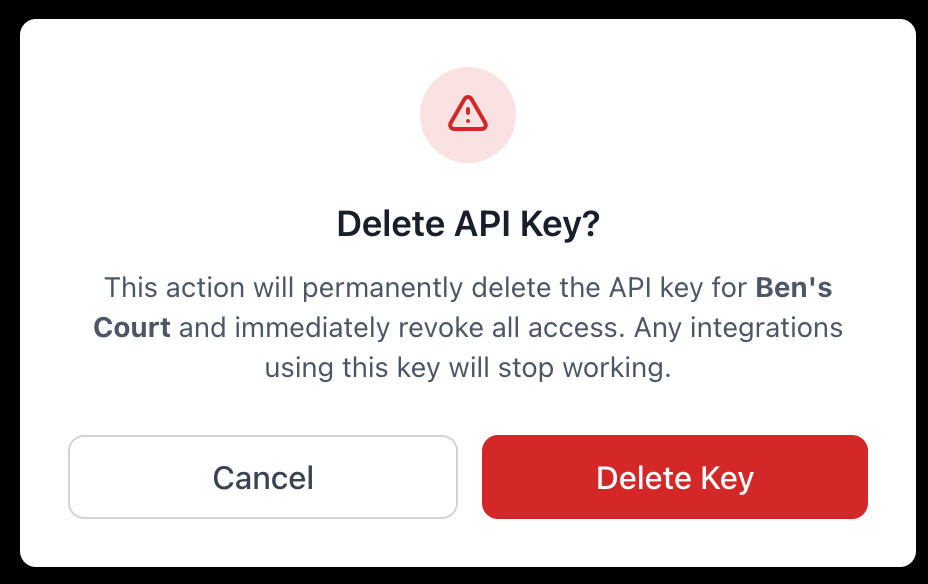
- Click Disable or Delete
- Confirm the action
Disable vs Delete:
- Disable - Temporarily deactivate (can be re-enabled)
- Delete - Permanently remove (cannot be recovered)
Security Best Practices
Protecting Your Keys
- Never Commit to Version Control - Don't include keys in Git repositories
- Use Environment Variables - Store keys as environment variables
- Restrict Permissions - Give minimum necessary access
- Monitor Usage - Regularly check API key activity
- Rotate Regularly - Change keys periodically
- Secure Storage - Use password managers or secrets management systems
Key Storage
Do:
- Store in environment variables
- Use secrets management services (AWS Secrets Manager, Azure Key Vault)
- Encrypt at rest
- Use secure password managers
Don't:
- Hard-code in application source
- Commit to public repositories
- Share via email or chat
- Store in plain text files
- Include in client-side code
Access Control
- Create separate keys for different applications
- Use read-only keys where possible
- Limit venue access per key
- Assign keys to specific team members
- Review key permissions quarterly
Rate Limits
Default Limits
API keys are subject to rate limits:
- Standard: 1,000 requests per hour
- Premium: 10,000 requests per hour
- Enterprise: Custom limits available
Exceeding Limits
If you exceed rate limits:
- Requests return a 429 (Too Many Requests) error
- Retry after the time indicated in response headers
- Implement exponential backoff in your application
Increasing Limits
To request higher limits:
- Contact [email protected]
- Describe your use case
- Provide expected request volume
- We'll review and adjust as needed
API Key Activity
Monitoring Usage
Track API key activity:
- Request Count - Number of API calls
- Last Used - Most recent request timestamp
- Endpoints Accessed - Which APIs are being called
- Success Rate - Percentage of successful requests
- Error Log - Failed requests and reasons
Activity Alerts
Set up alerts for:
- Unusual activity patterns
- Failed authentication attempts
- Rate limit approaches
- Geographic anomalies
Webhooks
Setting Up Webhooks
Webhooks allow Grab A Table to push data to your systems:
- Go to API Keys > Webhooks
- Click Add Webhook
- Enter your endpoint URL
- Select events to monitor
- Configure authentication
- Test the webhook
Available Events
- New reservation created
- Reservation modified
- Reservation cancelled
- Customer updated
- Review submitted
- Table availability changed
Webhook Security
Webhooks include:
- Signature verification
- Secret key for validation
- Timestamp to prevent replay attacks
API Documentation
Getting Started
Full API documentation available at: https://api.grabatable.app/docs
Quick Links
- API Reference - Complete endpoint documentation
- Authentication Guide - How to use your API keys
- Code Examples - Sample implementations
- SDKs - Official libraries for popular languages
Available SDKs
Official SDKs available for:
- JavaScript/Node.js
- PHP
- Python
- Ruby
- .NET
Common Use Cases
Custom Booking Widget
Create a booking form on your website:
- Use API to fetch available times
- Submit reservations directly
- Receive real-time confirmations
POS Integration
Sync with your Point of Sale system:
- Share table status
- Update capacity in real-time
- Coordinate walk-ins and reservations
Marketing Automation
Connect with marketing platforms:
- Export customer data
- Trigger booking reminders
- Send special offers
Mobile App
Build a custom mobile experience:
- Display real-time availability
- Allow customers to book
- Manage reservations on-the-go
Troubleshooting
Invalid API Key
If you receive authentication errors:
- Verify the key is copied correctly
- Check that the key is active
- Ensure it hasn't been deleted
- Confirm venue access permissions
Permission Denied
If you can't access certain endpoints:
- Check key permissions
- Verify venue access
- Ensure endpoint is included in scope
- Contact support if issues persist
Rate Limit Errors
If you're being rate limited:
- Implement request throttling
- Cache responses when possible
- Optimize API calls
- Request limit increase if needed
Support
Need help with API integration?
- Email: [email protected]
- API Docs: https://api.grabatable.app/docs
- Developer Forum: https://community.grabatable.app
Related Pages
- Global Settings - Account-wide configuration
- Venue Management - Venue-specific settings
- Licences - Subscription management
Integration Help
Need help building an integration? Our team can provide guidance and support. Contact [email protected].